


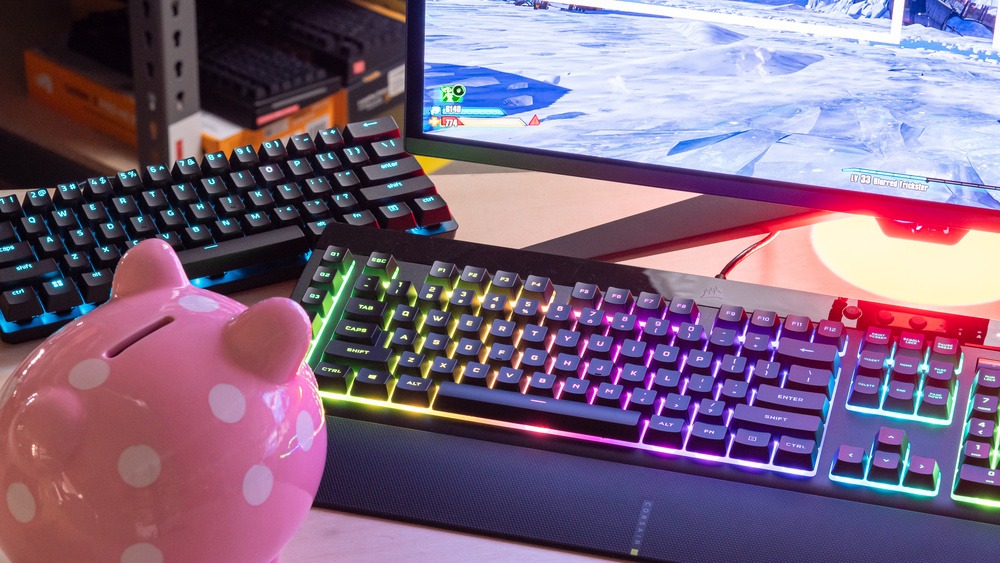
Mechanical keyboards have become a favorite for both professional typists and gamers due to their durability, tactile feedback, and precision. Choosing the best mechanical keyboards for typing and gaming ensures you get a satisfying typing experience while maintaining competitive performance in games. With a variety of switches, layouts, and features, selecting the right keyboard can elevate productivity and gameplay.
This guide explores top mechanical keyboards, key features to consider, and tips for choosing one that fits your style.
Why Mechanical Keyboards Are Ideal
Mechanical keyboards differ from membrane keyboards in that each key has its own mechanical switch. Benefits include:
-
Tactile Feedback: Provides satisfying keypress feel for typing accuracy.
-
Durability: Switches can last tens of millions of keystrokes.
-
Faster Response Times: Ideal for gaming where every millisecond counts.
-
Customizability: Keycaps, RGB lighting, and programmable keys enhance both aesthetics and functionality.
Whether you’re writing long documents or competing in fast-paced games, mechanical keyboards offer versatility unmatched by standard membrane keyboards.
Types of Mechanical Switches
Choosing the right switch is crucial for performance and comfort:
-
Linear Switches (e.g., Cherry MX Red):
-
Smooth keystroke with no tactile bump
-
Preferred by gamers for rapid key presses
-
-
Tactile Switches (e.g., Cherry MX Brown):
-
Slight bump at actuation point
-
Balanced for both typing and casual gaming
-
-
Clicky Switches (e.g., Cherry MX Blue):
-
Audible click with tactile bump
-
Great for typing enthusiasts but louder, which may disturb others
-
-
Silent Switches:
-
Quiet with soft tactile feedback
-
Ideal for shared workspaces or remote work environments
-
Features to Look For
-
Build Quality: Aluminum or reinforced plastic frame increases longevity.
-
Anti-Ghosting & N-Key Rollover: Ensures multiple simultaneous keypresses register accurately, essential for gaming.
-
Customizable Backlighting: RGB lighting can enhance gaming experience and aesthetic appeal.
-
Programmable Keys & Macros: Useful for productivity or MMO games.
-
Detachable Cable & Compact Layouts: For portability and desk flexibility.
Top Mechanical Keyboards for Typing and Gaming
1. Corsair K95 RGB Platinum
Best for Gamers
-
Cherry MX Speed switches for fast response
-
Full RGB backlighting and dedicated macro keys
-
Aluminum frame for durability
Why it stands out:
High-end performance with premium build quality, suitable for both gaming and extended typing sessions.
2. Keychron K8 Wireless Mechanical Keyboard
Best for Versatility
-
Hot-swappable switches allow customization
-
Wireless and wired modes
-
Tactile or linear switch options
Why it works:
Perfect for users who want a balance between productivity and gaming, with flexibility in switch type.
3. Razer BlackWidow V4
Best for RGB Customization
-
Razer Green or Yellow switches
-
Fully programmable keys and macros
-
Dynamic RGB lighting effects
Why it works:
Excellent for gamers who want responsiveness and typing precision with aesthetic flair.
4. Das Keyboard 4 Professional
Best for Typing
-
Cherry MX Blue switches for tactile feedback
-
Minimalistic design, no unnecessary gaming features
-
Sturdy construction for heavy typing
Why it works:
Ideal for writers, coders, or anyone prioritizing a premium typing experience.
5. Logitech G915 TKL
Best for Wireless Gaming
-
Low-profile GL switches, tactile or linear
-
Wireless with LIGHTSPEED technology
-
Compact tenkeyless layout
Why it stands out:
Combines portability and high-performance responsiveness for gamers who prefer a clutter-free desk.
Comparison Table
| Keyboard | Switch Type | Layout | Best For | Features |
|---|---|---|---|---|
| Corsair K95 RGB Platinum | Cherry MX Speed | Full | Gaming | RGB, Macro Keys |
| Keychron K8 | Hot-swappable | Tenkeyless | Typing + Gaming | Wireless, Custom Switch |
| Razer BlackWidow V4 | Razer Green/Yellow | Full | Gaming | RGB, Programmable Keys |
| Das Keyboard 4 Professional | Cherry MX Blue | Full | Typing | Minimalist, Sturdy |
| Logitech G915 TKL | GL Tactile/Linear | Tenkeyless | Gaming + Productivity | Wireless, Low-profile |
Tips for Choosing the Right Mechanical Keyboard
-
Match Switch to Use Case: Tactile or linear switches for dual-purpose typing and gaming; clicky for typing enthusiasts.
-
Consider Desk Space: Tenkeyless or compact layouts save space while retaining functionality.
-
Test Typing Comfort: Ergonomics matter for long typing sessions.
-
Prioritize Durability: Aluminum or reinforced frames handle intense usage.
-
Silent Switches for Shared Spaces: Ideal if others are around, similar to how some prefer Best Noise Cancelling Headphones for Remote Work to maintain quiet environments.
Frequently Asked Questions (FAQs)
Are mechanical keyboards better for gaming than membrane keyboards?
Yes. Mechanical switches offer faster response times, better tactile feedback, and durability.
Can I use a mechanical keyboard for office work?
Absolutely. Tactile or quiet switches are great for typing-intensive tasks and coding.
How long do mechanical keyboards last?
High-quality mechanical keyboards can last 50–100 million keystrokes.
Is RGB lighting necessary?
Not essential for performance, but it adds customization and can enhance gaming experience.
Can I switch out mechanical switches?
Some keyboards, like hot-swappable models, allow easy replacement without soldering.
Final Thoughts
The best mechanical keyboards for typing and gaming combine durability, responsive switches, and comfort. Whether you prioritize high-speed gaming, long typing sessions, or both, choosing the right switch, layout, and features ensures a satisfying experience.