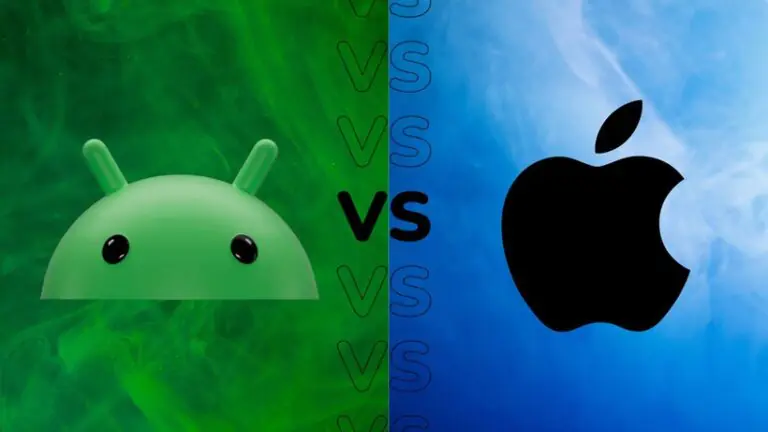


Choosing the right smartphone for business use is crucial for productivity, communication, and security. Both Android vs iPhone for business users offer unique advantages, but the best choice depends on your workflow, app ecosystem, and IT requirements. Understanding the differences can help professionals make informed decisions.
This guide breaks down the comparison by operating system, hardware, software, security, and enterprise features.
User Interface and Customization
Android
-
Highly customizable home screens and widgets.
-
Ability to install apps from third-party sources.
-
Multiple user profiles and work modes in some devices.
iPhone (iOS)
-
Simple, consistent interface with minimal learning curve.
-
Limited customization but highly optimized for productivity.
-
Uniform user experience across devices, ideal for enterprise support.
Verdict: Android offers flexibility, while iPhone prioritizes consistency and simplicity.
Hardware and Device Options
Android
-
Wide range of devices at different price points.
-
High-end devices offer advanced displays, foldable options, and powerful processors.
-
Multiple manufacturers provide options for battery size, storage, and ports.
iPhone
-
Limited models but high build quality.
-
Optimized hardware-software integration for smooth performance.
-
Premium pricing, but devices maintain resale value longer.
Verdict: Android has more hardware variety, while iPhone offers reliability and premium build.
Business Productivity Apps
Both platforms support essential apps such as email, video conferencing, and cloud storage. However:
-
Android: Greater flexibility with third-party productivity tools and automation apps.
-
iPhone: Seamless integration with Apple ecosystem apps like Keynote, Pages, Numbers, and iCloud Drive.
For professionals who rely on a unified ecosystem, iPhone excels. Android allows more freedom for custom workflows.
Security and Enterprise Management
Android
-
Offers enterprise mobility management (EMM) solutions for companies.
-
Security depends on manufacturer updates; some devices receive delayed patches.
-
Supports biometrics like fingerprint and facial recognition.
iPhone
-
Regular updates across all devices improve security.
-
Native support for MDM (Mobile Device Management) makes it ideal for corporate environments.
-
Secure Face ID and Touch ID integration for authentication.
Verdict: iPhone generally provides stronger, uniform security, while Android security varies by manufacturer.
Battery Life and Charging
Android
-
Wide variation; some devices feature 5000mAh+ batteries lasting two days.
-
Fast charging and reverse wireless charging available on many models.
iPhone
-
Moderate battery life, usually lasting a day with standard use.
-
MagSafe and fast charging options available, but battery capacity is lower than high-end Androids.
Verdict: Android phones often excel in battery endurance and versatility.
Integration with Business Tools
-
Android: Supports Microsoft Office, Google Workspace, Slack, Zoom, and custom enterprise apps. Highly customizable with task automation apps.
-
iPhone: Tight integration with Microsoft and Apple business solutions. Handoff and Continuity features allow seamless work across Mac, iPad, and iPhone.
For professionals using multiple Apple devices, iPhone offers a cohesive experience similar to how some users choose Best Mechanical Keyboards for Typing and Gaming for both work and leisure—optimized tools enhance productivity across tasks.
Price and Total Cost of Ownership
-
Android: Devices range from budget to premium; cheaper models may lack long-term updates.
-
iPhone: Premium upfront cost, but longer software support and high resale value make total ownership more predictable.
Verdict: Android is more flexible for tight budgets; iPhone offers predictable support and longevity.
Comparison Table
| Feature | Android | iPhone (iOS) | Best For |
|---|---|---|---|
| Customization | High | Limited | Users who want flexibility |
| Hardware Variety | Wide range | Limited premium models | Users with specific device needs |
| Productivity Apps | Flexible, third-party support | Apple ecosystem, optimized apps | Unified workflows |
| Security | Varies by manufacturer | Strong, uniform | Corporate security-conscious users |
| Battery Life | Often longer | Moderate | Heavy device users |
| Enterprise Integration | Good | Excellent | Multi-device Apple users |
| Price Range | Low to High | Premium only | Budget-conscious vs long-term reliability |
Frequently Asked Questions (FAQs)
Which is better for corporate security?
iPhone generally provides stronger security and regular updates, making it preferred for corporate environments.
Can Android devices sync well with other computers?
Yes, Android works with Windows and Mac, but integration is not as seamless as Apple’s ecosystem.
Are there Android equivalents for Apple-exclusive apps?
Yes, many productivity apps have Android versions, though some features may differ.
Which is better for remote work?
Both can handle remote work tools, but iPhone’s integration with Mac and iPad offers a smoother multi-device experience.
Do iPhones hold value better than Android phones?
Yes, iPhones typically retain higher resale value over time.
Final Thoughts
Choosing between Android vs iPhone for business users depends on your priorities:
-
Android: Ideal for flexibility, device variety, and long battery life.
-
iPhone: Preferred for security, ecosystem integration, and predictable updates.
For business professionals, aligning your choice with workflow needs, device compatibility, and security requirements ensures maximum productivity. Just as enthusiasts carefully select Best Mechanical Keyboards for Typing and Gaming for performance and comfort, selecting the right smartphone can significantly improve efficiency in daily business operations.