


In today’s digital world, protecting online accounts is more important than ever. Passwords alone are no longer sufficient to secure sensitive data, especially with the rise of phishing attacks, credential stuffing, and data breaches. Two-factor authentication (2FA) adds an extra layer of protection by requiring a second verification step beyond your password.
For iPhone users, two-factor authentication apps provide a secure and convenient way to safeguard personal and professional accounts. This guide explores how 2FA apps work, their benefits, key features to consider, and answers to frequently asked questions.
What Is Two-Factor Authentication?
Two-factor authentication (2FA) is a security process that requires two forms of identification before granting access to an account. These typically include:
-
Something you know – Your password
-
Something you have – A mobile device or authentication app
By combining these two factors, 2FA significantly reduces the risk of unauthorized access—even if your password is compromised.
How 2FA Apps Work on iPhone
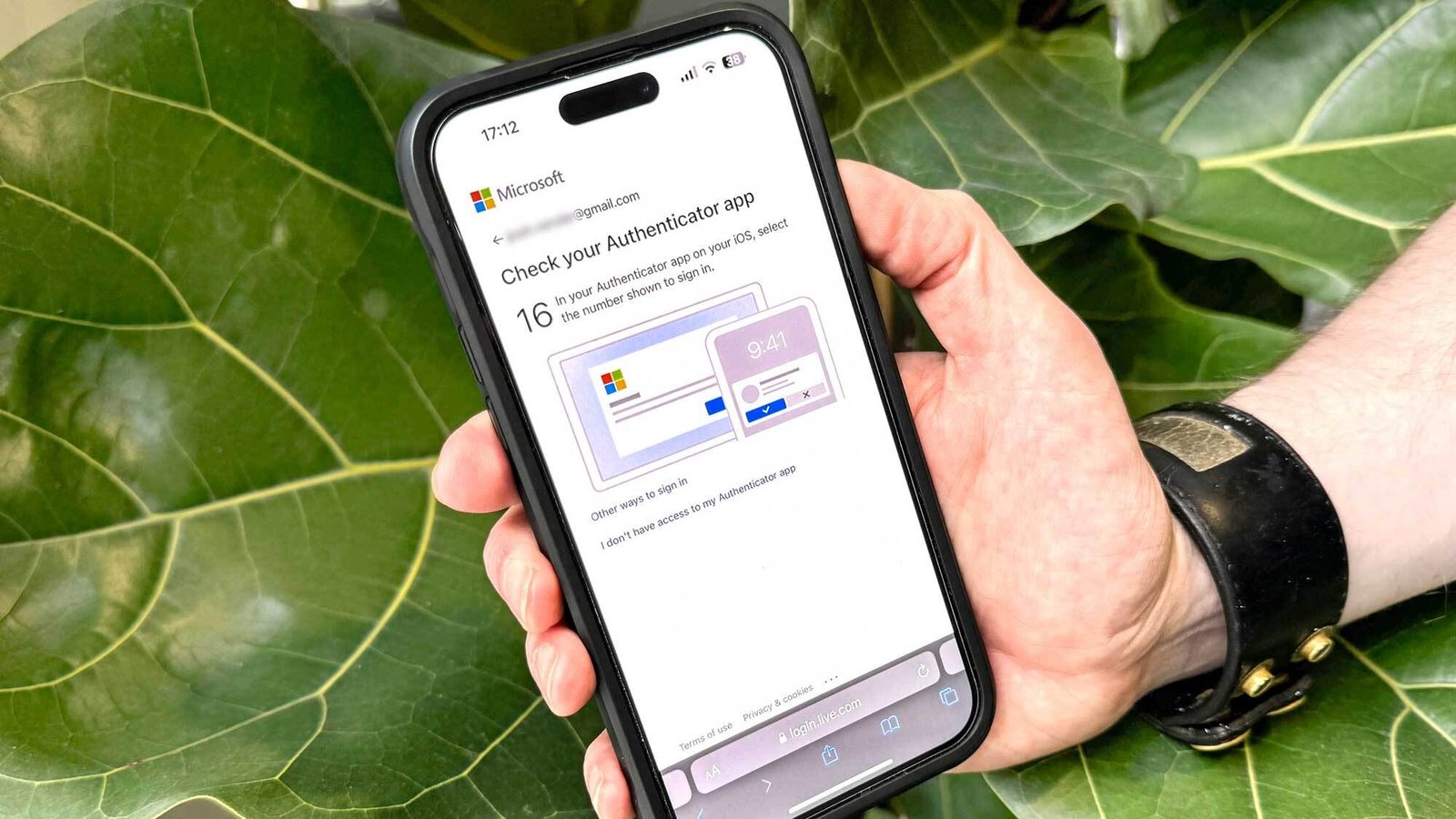
Two-factor authentication apps generate time-based one-time passwords (TOTP). After entering your username and password, the app provides a temporary code that refreshes every 30 seconds.
The process usually works like this:
-
Enable 2FA on your account.
-
Scan a QR code using your authentication app.
-
The app generates secure codes linked to that account.
-
Enter the generated code when logging in.
Since codes are generated directly on your device, they are more secure than SMS-based verification methods.
Why Use a 2FA App Instead of SMS?
While SMS-based verification is common, it has vulnerabilities such as SIM-swapping attacks. Authentication apps offer stronger protection because:
-
Codes are generated offline
-
No reliance on mobile networks
-
Reduced risk of interception
-
Faster login process
For iPhone users, 2FA apps provide seamless integration with iOS security features.
Key Features to Look for in 2FA Apps for iPhone
When choosing a two-factor authentication app, consider the following features:
| Feature | Description | Benefit |
|---|---|---|
| Offline Code Generation | Works without internet connection | Reliable access anywhere |
| Cloud Backup | Securely backs up accounts | Easy recovery if device is lost |
| Biometric Lock | Face ID or Touch ID protection | Extra security layer |
| Multi-Device Sync | Sync across devices | Convenient account management |
| Account Import/Export | Easy transfer between devices | Smooth upgrades |
| Encrypted Storage | Protects stored tokens | Prevents unauthorized access |
Selecting an app with these features ensures both security and usability.
Benefits of Using 2FA Apps on iPhone
Enhanced Account Security
Even if hackers steal your password, they cannot access your account without the verification code.
Protection Against Phishing
Time-based codes expire quickly, reducing phishing attack success rates.
Secure Access to Sensitive Accounts
Protect banking, email, social media, and cloud storage accounts.
Convenience
Quick code generation and biometric authentication streamline login processes.
Built-In iPhone Security and 2FA
iPhones include strong security measures such as:
-
Secure Enclave hardware
-
Face ID and Touch ID
-
Encrypted storage
-
Automatic security updates
When combined with a reliable 2FA app, these features create a robust personal security environment.
Common Use Cases for 2FA Apps
Two-factor authentication apps are commonly used for:
-
Email accounts
-
Financial services
-
Social media platforms
-
Business collaboration tools
-
Cryptocurrency wallets
Whether managing personal finances or researching Affordable Drones with 4K Camera 2026 for your next purchase, securing your online accounts ensures your personal data remains protected.
Best Practices for Using 2FA Apps on iPhone
Enable 2FA on All Critical Accounts
Prioritize financial, email, and work-related accounts.
Store Backup Codes Securely
Most services provide recovery codes—store them in a safe location.
Protect Your iPhone
Use a strong device passcode and enable biometric authentication.
Backup Authentication Data
Choose apps that offer encrypted cloud backups or export options.
Avoid Jailbreaking
Jailbreaking can weaken iOS security protections.
Common Mistakes to Avoid
-
Relying solely on SMS-based verification
-
Not backing up authentication codes
-
Using weak device passcodes
-
Ignoring software updates
-
Sharing verification codes with others
Avoiding these mistakes strengthens your account security.
2FA Apps vs. Hardware Security Keys
| Feature | 2FA Apps | Hardware Security Keys |
|---|---|---|
| Convenience | Highly convenient | Requires physical device |
| Cost | Usually free | Requires purchase |
| Portability | Installed on iPhone | Must carry separately |
| Security Level | Very strong | Extremely strong |
| Ease of Setup | Simple | Slightly more complex |
For most iPhone users, authentication apps offer an ideal balance between security and convenience.
Are 2FA Apps Safe?
Yes, reputable two-factor authentication apps are highly secure. They use strong encryption and operate independently from SMS networks, reducing common vulnerabilities. However, security also depends on how well you protect your iPhone.
Maintaining updated software and enabling biometric locks significantly improves protection.
Frequently Asked Questions (FAQs)
1. Are two-factor authentication apps free for iPhone?
Many 2FA apps offer free versions with essential features. Some premium versions include advanced backup and sync options.
2. What happens if I lose my iPhone?
If you enabled cloud backup or saved recovery codes, you can restore your accounts on a new device.
3. Is 2FA really necessary?
Yes. Password-only security is no longer sufficient due to increasing cyber threats.
4. Can 2FA apps work without internet?
Yes. Most authentication apps generate codes offline.
5. Is SMS-based verification safe?
SMS is better than no protection but is more vulnerable than app-based authentication.
6. Can I use multiple 2FA apps?
Yes, but it’s generally easier to manage all accounts within a single trusted app.
Conclusion
Two-factor authentication apps for iPhone provide a powerful and convenient way to protect online accounts from unauthorized access. By generating time-based verification codes directly on your device, these apps eliminate many of the vulnerabilities associated with SMS authentication.