


Mechanical keyboards have become the go‑to choice for developers who spend long hours typing code. With tactile feedback, durability, and customizable options, a good mechanical keyboard can boost productivity, reduce fatigue, and enhance your overall typing experience. Whether you prefer quiet keystrokes or satisfying tactile clicks, there’s a mechanical keyboard that fits your style and workflow.
Here’s a curated list of the top mechanical keyboards for developers, helping you find the ideal match based on feel, features, and performance.
What Makes a Great Keyboard for Developers?
Before we dive into specific models, here are the key factors developers should consider:
-
Switch type – Determines feel and sound:
-
Tactile (e.g., Cherry MX Brown): bumps for feedback without loud clicks
-
Linear (e.g., Cherry MX Red): smooth keystrokes for fast typing
-
Clicky (e.g., Cherry MX Blue): audible clicks for satisfying feedback
-
-
Build quality – Durable construction (aluminum or high‑grade plastic) for years of use.
-
Ergonomics – Comfortable key layout and wrist support can reduce strain.
-
Programmability – Custom key mappings and macros boost efficiency.
-
Connectivity – Wired for responsiveness; wireless for flexibility.
Top Mechanical Keyboards for Developers
1. Keychron K2 / K4 / K6 Series
The Keychron lineup is popular among developers for its versatility:
-
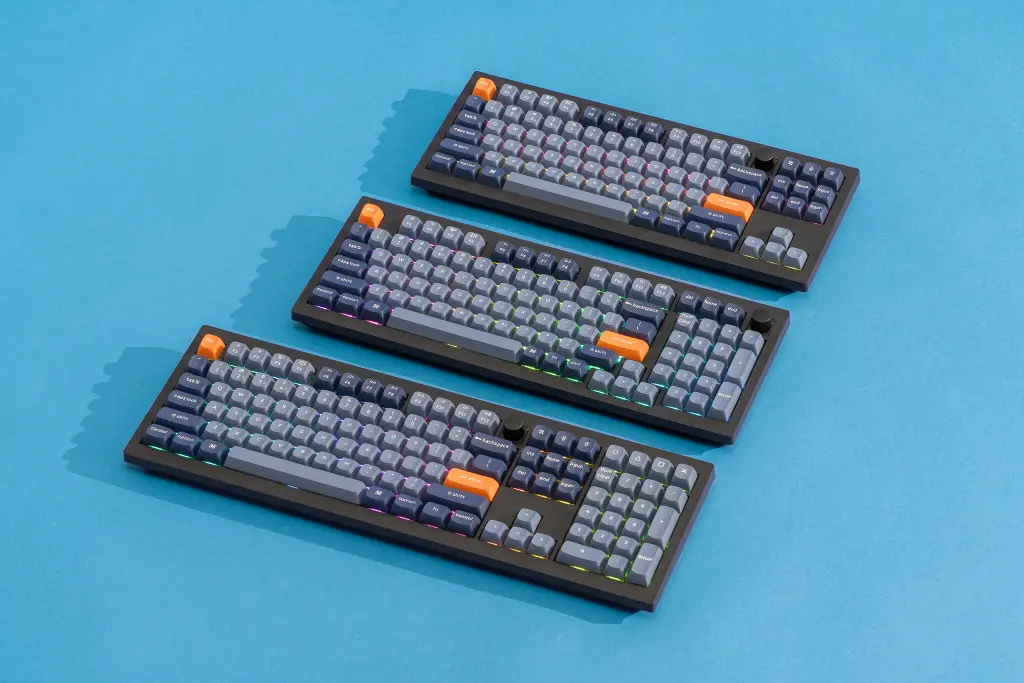
Key Sizes: K2 (75%), K4 (96%), K6 (65%)
-
Switch Options: Gateron (Red, Brown, Blue)
-
Features:
-
Mac/Windows compatible
-
Hot‑swappable variants for easy switch replacement
-
Bluetooth wireless + USB‑C wired
-
Why it’s great for developers: Multiple form factors to match desk space, strong battery life, and excellent value for money.
2. Logitech G915 TKL / Full‑Size
A premium choice with modern features:
-
Switch Types: Low‑profile GL (Tactile or Clicky)
-
Connectivity: Lightspeed wireless or USB
-
Features: RGB lighting, media controls, wireless convenience
Why it’s great for developers: Sleek design with wireless performance and robust build quality—ideal for clean desks and long coding sessions.
3. Ducky One 2 Mini
A cult favorite in the 60% compact category:
-
Switches: Cherry MX (various types)
-
Features: Backlighting, PBT keycaps, great typing feel
Why it’s great for developers: Smaller form factor keeps hands close together, reducing wrist movement during long coding sessions.
4. Leopold FC750R / FC900R
High‑quality mechanical keyboards with a classic build:
-
Switches: Cherry MX (Brown, Red, Blue, etc.)
-
Features: Durable PBT keycaps, solid construction
Why it’s great for developers: Reliable, comfortable, and built for heavy typing without unnecessary frills.
5. Das Keyboard 4 Professional
A go‑to for programmers who prefer a tactile experience:
-
Switches: Cherry MX Brown (quiet) or Blue (clicky)
-
Features: Dedicated media controls, volume knob, USB hub
Why it’s great for developers: Functional design focused on typing performance and productivity.
6. Varmilo VA87M / VA108M
Beautifully designed with premium feel and customization:
-
Switches: Cherry MX or Varmilo’s own (Tactile/Linear)
-
Features: Excellent keycaps, solid build quality
Why it’s great for developers: Ideal for those who want premium feel and aesthetics without breaking the bank.
7. Glorious GMMK Pro
A highly customizable keyboard for enthusiasts:
-
Switches: Hot‑swappable (any mechanical switch)
-
Features: Modular design, RGB lighting, hotswap sockets
Why it’s great for developers: Customization is the star here—swap switches without soldering and create your ideal typing experience.
8. Filco Majestouch 2
A no‑nonsense board built for durability:
-
Switches: Cherry MX (various options)
-
Features: Solid build, minimalist design
Why it’s great for developers: Straightforward, dependable, and perfect for heavy typing with minimal distractions.
Choosing the Right Keyboard for You
Here’s how to decide:
-
Prefer a compact layout? Go for 60% or 75% boards like Ducky One 2 Mini or Keychron K2.
-
Want wireless convenience? Logitech G915 or Bluetooth Keychron variants are strong choices.
-
Value customization? Glorious GMMK Pro shines with its hotswap flexibility.
-
Need a classic, durable board? Leopold and Filco deliver legendary reliability.
FAQs
1. Are mechanical keyboards loud for office or coworking spaces?
Yes, some (especially clicky switches) can be noisy. For quieter environments, choose tactile or linear switches like Cherry MX Brown or Red.
2. Do developers really need mechanical keyboards?
While not required, mechanical keyboards provide superior typing feel, durability, and customization that many developers prefer during long coding sessions.
3. Are compact keyboards better than full‑size?
It depends on preference. Compact layouts save desk space and reduce hand movement, while full‑size boards include a number pad for data entry or spreadsheet work.
4. Should I choose wireless or wired?
Wired connections offer the lowest latency, but wireless gives flexibility and cleaner desk setup. Choose based on priorities.
5. What switch type is best for typing?
Many developers favor tactile switches (e.g., Cherry MX Brown) for feedback without loud clicks, though linear switches (e.g., Red) are smoother for fast typing.
Conclusion
Mechanical keyboards are a smart investment for developers, offering improved typing feel, customization, and durability. Whether you prefer compact minimalism, wireless convenience, or full‑feature workstations, there’s a keyboard to suit your coding style and workspace needs.
By understanding your typing preferences and workflow, you can choose the ideal mechanical keyboard that keeps your fingers—and productivity—happy for years to come.