

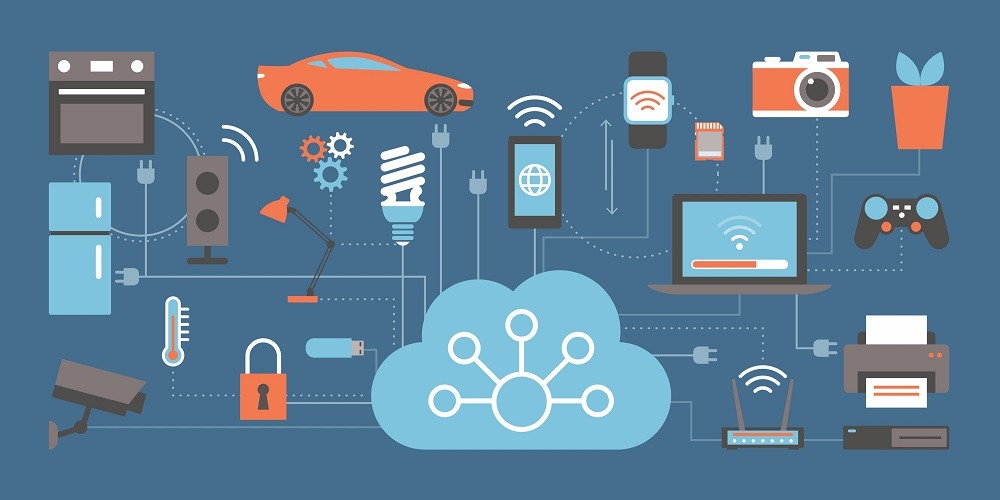
Office environments are rapidly evolving thanks to the rise of the Internet of Things (IoT). IoT devices for smart office automation are transforming traditional workplaces into intelligent ecosystems that enhance productivity, reduce energy costs, and improve employee comfort. By connecting physical devices to the internet and enabling data-driven decision-making, businesses can optimize daily operations with minimal manual effort.
In this comprehensive guide, we’ll explore the most effective IoT devices for smart office automation, how they work, real use cases, a comparison table, and answers to frequently asked questions to help you build a future-ready office.
What Is Smart Office Automation?
Smart office automation uses networked sensors and connected devices to streamline workplace processes. These devices collect data, communicate with each other, and trigger automated actions based on rules or user preferences.
Some common goals of smart offices include:
-
Enhanced productivity
-
Reduced energy consumption
-
Improved workplace comfort
-
Better security and monitoring
-
Data-driven insights
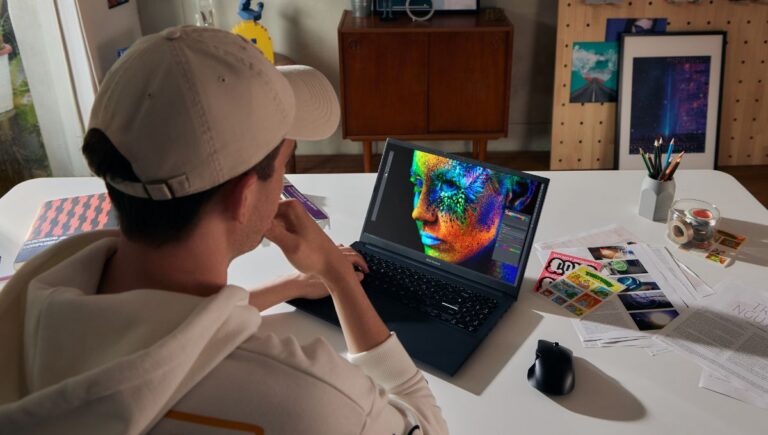
Smart automation also complements other modern technology ecosystems. For example, creative professionals using high-performance machines like Best Laptops for Graphic Design and Illustration benefit from a smart office setup that minimizes interruptions and maximizes focus.
Key Benefits of IoT in Office Automation
IoT devices provide several strategic advantages:
1. Improved Energy Efficiency
Smart lighting and HVAC systems adjust based on occupancy and time of day, reducing waste.
2. Enhanced Employee Comfort
Temperature, lighting, and noise levels adapt automatically for optimal comfort.
3. Greater Security
Smart locks, cameras, and sensors protect assets and monitor movement.
4. Operational Automation
Routine tasks like booking meeting rooms or tracking assets are simplified.
5. Data-Driven Decision Making
Analytics from IoT devices help optimize space usage and workflow patterns.
Top IoT Devices for Smart Office Automation
Below are some essential IoT categories and devices that are transforming modern workplaces.
1. Smart Lighting Systems
Smart lighting goes beyond energy savings. It improves workflow and ambience by:
-
Automatically turning lights on/off based on motion
-
Adjusting brightness based on natural light
-
Enabling remote scheduling
These systems use sensors and connected control hubs to manage lighting efficiently.
2. Smart Thermostats and HVAC Controls
Temperature comfort has a direct impact on productivity. Smart thermostats:
-
Learn usage patterns
-
Adjust temperature automatically
-
Provide remote control via mobile apps
-
Integrate with sensors for zone-based control
This reduces energy costs while keeping employees comfortable.
3. Occupancy and Motion Sensors
Occupancy sensors detect human presence and trigger actions such as:
-
Turning lights on/off
-
Adjusting HVAC systems
-
Triggering alerts if unauthorized presence is detected
These sensors form the backbone of many automation workflows.
4. Smart Security Cameras
Modern office security uses intelligent cameras that offer:
-
Motion detection alerts
-
Facial recognition features
-
Remote monitoring via mobile devices
-
AI-based analytics
Smart cameras enhance security while reducing the need for constant manual surveillance.
5. Smart Access Control and Smart Locks
Replace traditional keys with connected locks that support:
-
Mobile key access
-
Time-based entry permissions
-
Activity logs
-
Integration with security systems
Smart locks make managing access rights simple and secure.
6. Connected Meeting Room Systems
Meeting room automation boosts collaboration by enabling:
-
Automatic room booking
-
Occupancy detection
-
Display screens with schedules
-
Voice assistant scheduling
These systems eliminate double bookings and simplify office logistics.
7. Asset Tracking Tags
Asset tracking uses small IoT tags attached to equipment and devices to:
-
Monitor location in real time
-
Prevent loss or theft
-
Simplify inventory management
-
Provide usage analytics
These tags are especially helpful in large office environments with shared resources.
8. Smart Plugs and Power Management
Smart plugs help control and schedule power to office devices such as:
-
Printers
-
Coffee machines
-
Desktop stations
-
Chargers
Remote control features reduce energy waste and extend device lifespan.
9. Environmental Sensors
Environmental sensors monitor:
-
Temperature
-
Humidity
-
Air quality
-
Noise levels
These readings help maintain a healthy workplace environment and inform HVAC adjustments.
10. Voice Assistant Integration
Voice assistants like Amazon Alexa for Business or Google Assistant enable:
-
Hands-free control of devices
-
Voice-activated meeting scheduling
-
Quick access to information
-
Automated task execution
This makes interaction with office systems seamless and intuitive.
Comparison Table: IoT Devices for Smart Office Automation
| Device Category | Primary Function | Key Benefits | Typical Use Case |
|---|---|---|---|
| Smart Lighting | Lighting automation | Energy savings, comfort | Hallways, open workplaces |
| Smart Thermostats | Temperature control | Comfort + efficiency | Offices, lounges |
| Occupancy Sensors | Presence detection | Automation triggers | Shared spaces |
| Smart Cameras | Security and monitoring | Surveillance + alerts | Entrances, common areas |
| Smart Locks | Access control | Secure, flexible permissions | Office doors, server rooms |
| Meeting Room Systems | Booking automation | Scheduling efficiency | Conference rooms |
| Asset Tracking Tags | Real-time device location | Inventory management | Equipment rooms |
| Smart Plugs | Power management | Reduced energy waste | Desks, appliances |
| Environmental Sensors | Climate and air monitoring | Healthier workspace | Offices, labs |
| Voice Assistants | Hands-free control | Usability and convenience | General workplace use |
How IoT Devices Communicate
Most IoT devices use wireless technologies such as:
-
Wi-Fi
-
Bluetooth Low Energy (BLE)
-
Zigbee
-
Z-Wave
-
Cellular (for remote locations)
Communication protocols determine range, power usage, and data frequency. Choosing compatible systems is critical for seamless automation.
How to Set Up a Smart Office With IoT Devices
Follow these steps to build a smart office:
Step 1: Assess Your Needs
Identify pain points such as security risks, energy waste, or scheduling inefficiencies.
Step 2: Choose a Central Hub or Platform
Use a unified platform to manage all IoT devices from one dashboard.
Step 3: Deploy Sensors and Devices
Install smart lighting, thermostats, cameras, and sensors in strategic locations.
Step 4: Configure Automation Rules
Setup triggers such as “turn off lights when no motion detected” or “lock doors after business hours.”
Step 5: Test and Refine
Monitor performance and adjust settings for optimal efficiency.
Common Challenges and Solutions
Compatibility Issues
Not all devices work together. Use hubs or platforms that support multiple protocols.
Security Concerns
Protect the network with encryption, secure passwords, and monitoring tools.
Data Overload
Too many sensors can create excessive data. Use analytics tools to filter and derive actionable insights.
FAQs About IoT Devices for Smart Office Automation
1. What is the most important IoT device for a smart office?
While all devices contribute, occupancy sensors and smart lighting deliver immediate efficiency gains.
2. Are IoT devices secure?
Security depends on best practices: strong passwords, regular updates, and network segmentation help protect IoT ecosystems.
3. Can IoT automation save energy?
Yes, automated lighting and HVAC control significantly reduce energy consumption.
4. Do I need professional installation?
Some systems are plug-and-play, while larger deployments may benefit from professional setup.
5. Can IoT devices integrate with existing office systems?
Yes, many IoT platforms support integration with calendars, security systems, and collaboration tools.
6. Is cloud connectivity required?
Cloud access enables remote control and analytics, but some systems offer local automation without internet dependency.
Final Thoughts
Selecting and integrating the right IoT devices for smart office automation can reshape how your workplace operates. From enhancing employee comfort to reducing operational costs, intelligent automation delivers measurable value.