


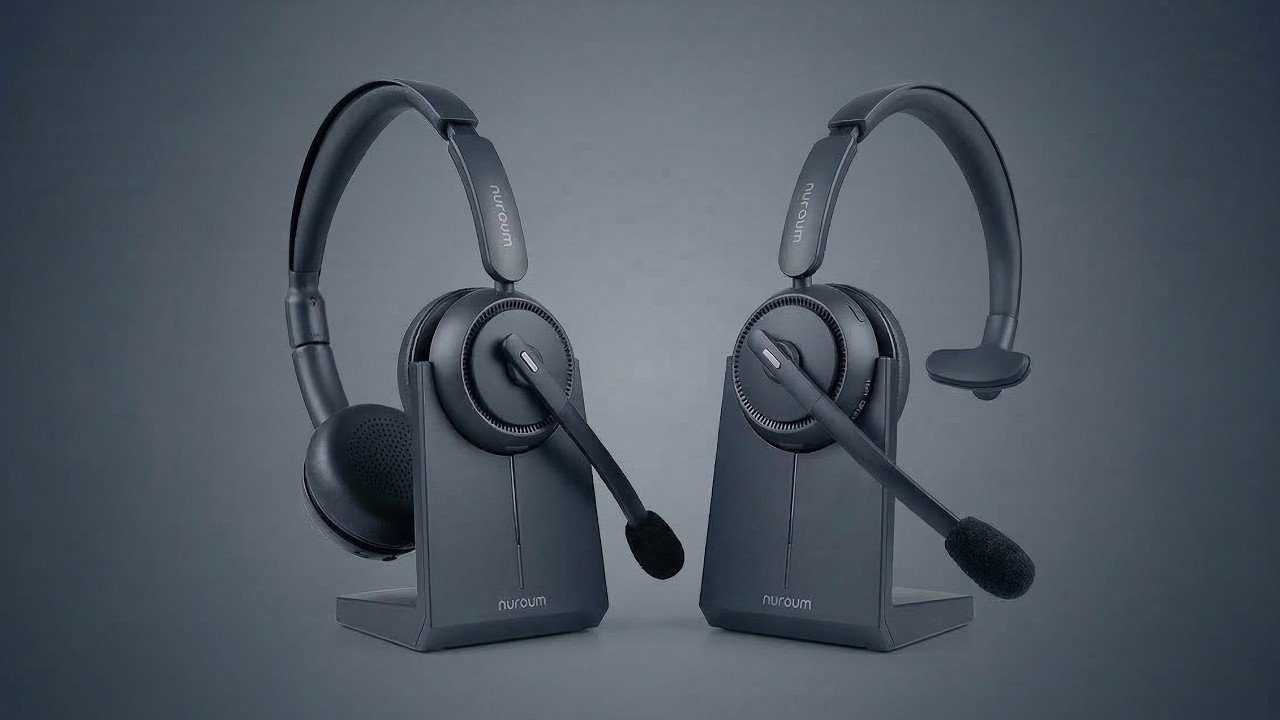
Working remotely offers flexibility, but it also brings challenges like distractions, background noise, and difficulty concentrating. One of the most effective tools for creating a focused workspace is a pair of high-quality noise-canceling headphones. They can enhance productivity, improve audio clarity during calls, and reduce stress caused by constant interruptions.
This guide explores the best noise-canceling headphones for remote work, their benefits, and tips for integrating them into your daily workflow. We’ll also touch on how these tools can complement broader office best practices, including Cybersecurity Best Practices for Small Businesses in remote settings.
1. Why Noise-Canceling Headphones Are Essential for Remote Work
Noise-canceling headphones use technology to reduce or eliminate background noise. They are particularly valuable for remote workers in busy environments:
-
Enhanced concentration: Block out chatter, traffic, or household sounds.
-
Improved call quality: Clearer audio for virtual meetings and client calls.
-
Reduced fatigue: Less strain from trying to focus in noisy surroundings.
-
Better work-life separation: Create a mental boundary between work and home distractions.
By investing in the right headphones, remote workers can significantly improve efficiency and maintain a professional presence during calls.
2. Top Noise-Canceling Headphones for Remote Work
1. Sony WH-1000XM5
-
Features: Industry-leading noise cancellation, long battery life, touch controls, and adaptive sound adjustment.
-
Why it’s ideal: Exceptional comfort for long workdays and superior audio quality for calls and music.
2. Bose QuietComfort 45
-
Features: Lightweight design, excellent noise-canceling performance, and multi-device connectivity.
-
Why it’s ideal: Comfortable for extended use and easy switching between work devices.
3. Apple AirPods Max
-
Features: Active noise cancellation, spatial audio, and seamless integration with Apple devices.
-
Why it’s ideal: Ideal for users in the Apple ecosystem who want premium audio and clarity.
4. Jabra Elite 85h
-
Features: Smart noise cancellation, water resistance, and customizable sound settings.
-
Why it’s ideal: Durable option with excellent microphone quality for remote meetings.
5. Microsoft Surface Headphones 2
-
Features: Intuitive on-ear dials for volume and noise cancellation, integrated with Microsoft Teams.
-
Why it’s ideal: Perfect for professionals who use Microsoft Office and Teams daily.
3. Features to Consider When Choosing Headphones
-
Comfort and fit: Look for padded earcups and adjustable headbands for long hours of use.
-
Battery life: Aim for at least 20 hours of continuous use for full-day remote work.
-
Microphone quality: Essential for clear communication in virtual meetings.
-
Connectivity: Bluetooth for wireless convenience or wired options for zero latency.
-
Noise-canceling modes: Some headphones offer adaptive or adjustable noise cancellation.
Choosing headphones with the right combination of these features ensures a productive remote work experience.
4. Tips for Maximizing Productivity with Noise-Canceling Headphones
-
Use noise-canceling during deep work: Block distractions when focusing on high-priority tasks.
-
Switch to ambient mode when necessary: Hear important sounds, like doorbells or phone calls.
-
Pair with music or white noise: Calm background audio can enhance focus for some workers.
-
Maintain good posture: Overhead headphones should sit comfortably to prevent neck strain.
-
Charge regularly: Keep your headphones ready for extended work sessions.
Integrating headphones strategically into your workflow maximizes both focus and comfort.
5. Complementing Headphones with Remote Work Practices
While headphones reduce noise, effective remote work also requires secure and organized practices:
-
Designate a quiet workspace: Even the best headphones are more effective in a dedicated area.
-
Use productivity tools: Project management software, virtual whiteboards, and task trackers help maintain focus.
-
Secure your devices: Following Cybersecurity Best Practices for Small Businesses, such as VPNs, strong passwords, and two-factor authentication, protects sensitive information while working remotely.
-
Take regular breaks: Step away from screens to reduce eye strain and mental fatigue.
Combining the right technology with structured work habits creates an optimal remote work environment.
FAQs
1. Do noise-canceling headphones work for all types of background noise?
They are most effective against low-frequency noises like traffic, air conditioning, and office chatter. Sudden, high-pitched sounds may still be noticeable.
2. Can I wear noise-canceling headphones all day?
Yes, but choose comfortable, lightweight models and take periodic breaks to avoid ear fatigue.
3. Are wired headphones better than wireless for remote work?
Wireless offers convenience and freedom of movement, while wired ensures zero audio latency and does not require charging.
4. Can headphones improve video call quality?
Absolutely. Noise-canceling headphones with high-quality microphones reduce echo, background noise, and improve clarity for both participants.
5. How do headphones integrate with cybersecurity practices?
Secure remote work relies on protecting sensitive information. Using headphones prevents accidental exposure of private conversations in shared environments, complementing digital protections outlined in Cybersecurity Best Practices for Small Businesses.
Conclusion
Noise-canceling headphones are essential tools for remote work, offering improved focus, clearer communication, and reduced stress in noisy environments. Whether you choose premium models like Sony WH-1000XM5, Bose QuietComfort 45, or Apple AirPods Max, the right headphones will enhance your productivity and work-life balance.